17 photos from NOCO. Select the photo to enlarge it.
NOCO GENIUS2D 12V 2A Direct-Mount Battery Charger
Fits: Universal; check NOCO's specifications for voltage, battery type and engine size.
Bought on its own, this version checks out from 2 units; with other parts in your cart, any quantity.
Email a question about this partor write to rrmotorservices@gmail.com
Special order through Energy Products, NOCO's master distributor. We order it from Energy Products when you place your order and email you the ship date and tracking; lithium products ship by ground only. Your card is only charged after the supplier confirms the part. Energy Products does not publish stock levels, so we confirm availability and the ship date before charging your card.
Description
2-Amp Direct-Mount
Battery Charger + Battery Maintainer
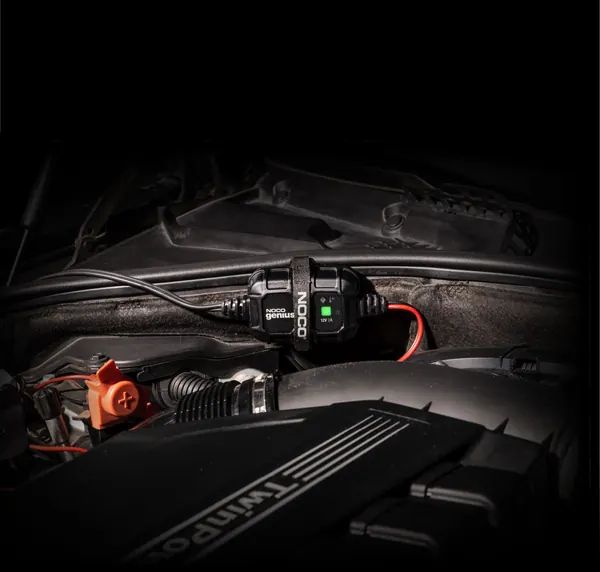
Introducing the GENIUS2D, one of our most powerful, highest-performing, energy-efficient, and compact chargers yet. The GENIUS2D is a 2-amp direct-mount battery charger and battery maintainer engineered to be securely mounted nearby the battery. Its designed for all types of 12-volt lead-acid batteries, including flooded, gel, AGM and other maintenance-free batteries.
The next generation.
ONBOARD CHARGING SOLUTION.
DIRECT-MOUNT.
Engineered and tested to withstand rugged working environments, like high-heat engine compartments, shock, vibration, and even water exposure. The GENIUS2D is the ultimate mountable on-board battery charger and battery maintainer for any car, boat, truck, RV, or equipment, and is designed to be located in close proximity to the battery.
MORE POWERFUL. MORE COMPACT.
Incredibly Smart.
Introducing the next-generation of battery charging with the all-new maximum power density technology. This smart charger has insanely high performance and it is designed to be the most compact, lightweight and energy efficient charger on the market. Using advanced power conversion topologies as its foundation, the Genius 2D has significantly increased the power-to-space ratio utilizing power magnetics, consolidated components, and innovative thermal management techniques.
Worry free year-round charging.
COMPLETELY AUTOMATIC.
Finally a charger from start to finish that’s completely automatic. No special modes, no technical knowledge required. Genius will safely charge any battery. Detect damaged batteries and intuitively repair them. And actively monitor for long-term battery maintenance and extend battery life. This system allows for continuous operation without user intervention, and zero risk of overcharging your battery.
OPTIMIZED FOR ANY CLIMATE.
THERMAL COMPENSATION.
The GENIUS2D now features an integrated thermal sensor that automatically monitors and adjusts the charging cycle based on fluctuations of ambient temperature, enabling it to provide more precision charging in both hot and cold climates. Not only does it increase charge performance, but it extends battery life by limiting the impact of under-charging/over-charging caused by temperature changes. So now when you are charging in cold temperatures, the charging rates increase, and when in hotter temperatures, the rates will decrease. The result, better, more accurate, fully-charged batteries.
SIMPLE INSTALLATION.
SECURE BRACKET.
Use a drill to secure the mounting bracket using self-tapping screws (included).
ATTACH STRAP.
Loop the velcro mounting strap into the mounting bracket.
MOUNT GENIUS2D.
Clip the Genius 2D charger into the mounting bracket.
FASTEN STRAPS.
Fasten the Genius 2D charger using the velcro mounting strap.
Product description from NOCO.
What the package includes
- GENIUS2D Battery Charger and Maintainer
- Mounting Bracket with Strap
- Self-Tapping Screws
- Safety & Warranty Information
Photos, product description, specifications and how-to instructions from NOCO (no.co). Sold by RR Motor Services LLC through Energy Products, NOCO's master distributor.
How to use
HOW TO USE.
Advanced Diagnostics.
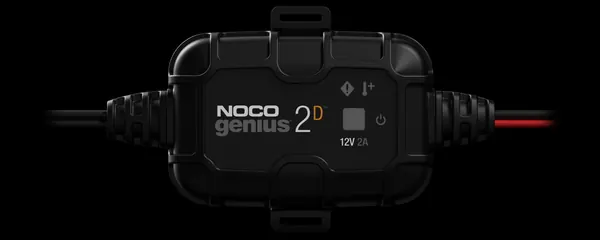

Reverse Polarity
Error LED will flash. Charger is connected to the battery in reverse / or battery voltage is too low to detect. Reverse the connections.

Temperature
Hot LED will flash. Internal / external temperature is too high. Charger will resume once the temperature is back within operating limits.

Bad Battery
Error and Standby LED single-flash. Battery will not hold a charge. Have the battery checked by a professional.

Battery Short
Error and Standby LED double-flash.There is a possible battery short, have the battery checked by a professional.

High Voltage
Error and Standby LED triple-flash. The battery voltage is too high for the selected charge mode. Check the battery.
Advanced Charging.
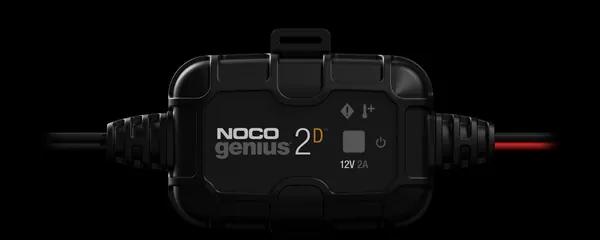

Below 75% Charged
Pulsing Red - The battery is less than 75% charged.

Above 75% Charged
Pulsing Green - Bulk Charge complete, optimizing battery for extended life.

100% Charged
Solid Green - The battery is 100% charged.

Maintenance
Slow Pulsing Green - After the battery is fully charged, the charger will continue to provide ongoing maintenance and optimization until disconnected.
SIMPLE INSTALLATION.
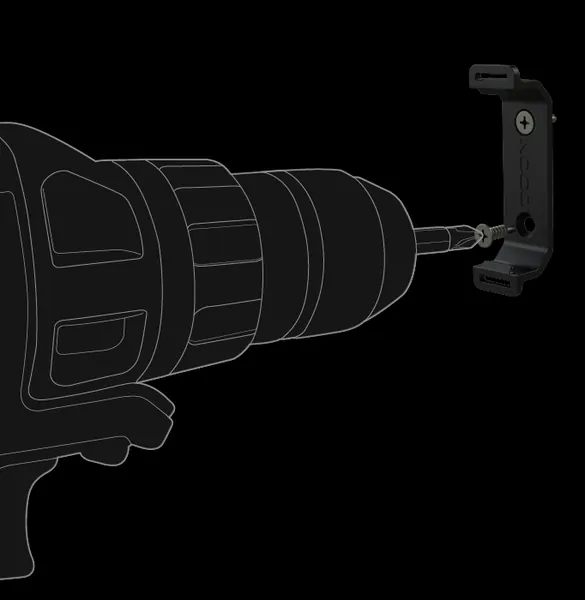
SECURE BRACKET.
Use a drill to secure the mounting bracket using self-tapping screws (included).
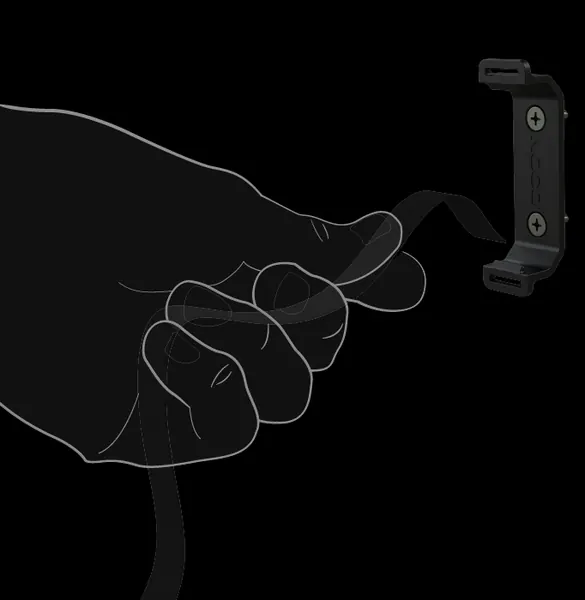
ATTACH STRAP.
Loop the velcro mounting strap into the mounting bracket.
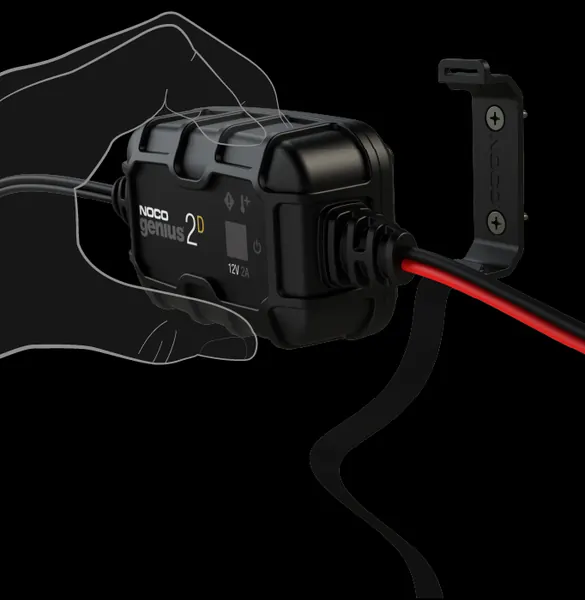
MOUNT GENIUS2D.
Clip the Genius 2D charger into the mounting bracket.
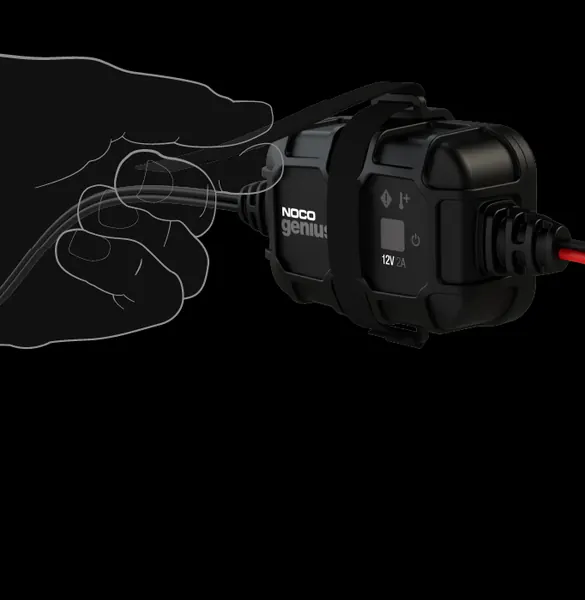
FASTEN STRAPS.
Fasten the Genius 2D charger using the velcro mounting strap.
GENIUS2D
FAQ
Charging
Charge Modes
LEDs
Specifications
Troubleshooting
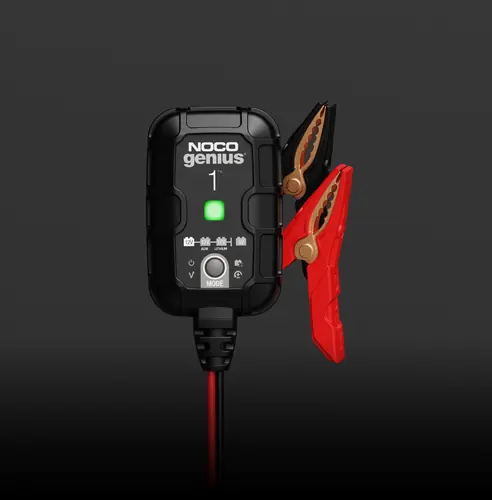
| GENIUS1 | 1 Amp DC |
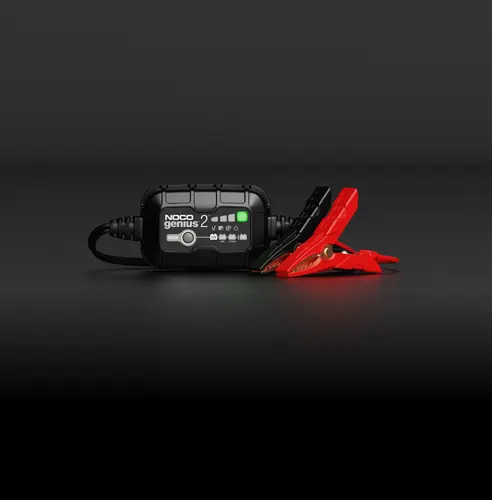
| GENIUS2 | 2 Amps DC |
| GENIUS5 | 5 Amps DC |
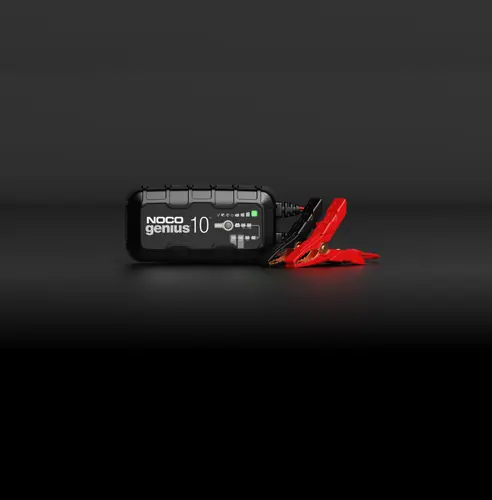
| GENIUS10 | 10 Amps DC |
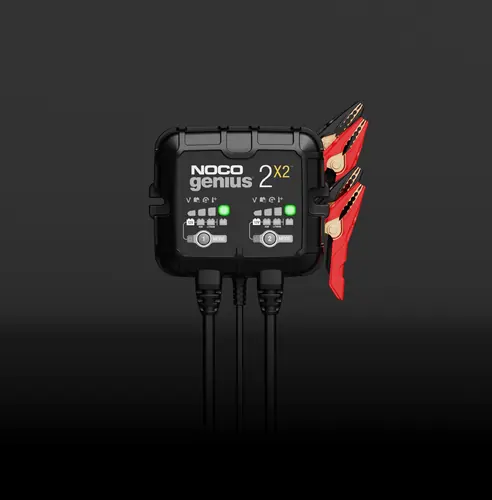
| GENIUS2X2 | 2 Amps DC (2 Banks) |
| GENIUS2X4 | 2 Amps DC (4 Banks) |
| GENIUS2D | 2 Amps DC |
| GENIUS1 | 15 Watts (Max) |
| GENIUS2 | 30 Watts (Max) |
| GENIUS5 | 75 Watts (Max) |
| GENIUS10 | 150 Watts (Max) |
| GENIUS2X2 | 30 Watts (Max) x 2 Banks |
| GENIUS2X4 | 30 Watts (Max) x 4 Banks |
| GENIUS2D | 28 Watts (Max) |
| GENIUS1 | 6V | 12V | Wet, Gel, MF, CA, EFB, AGM, Lithium |
| GENIUS2 | 6V | 12V | Wet, Gel, MF, CA, EFB, AGM, Lithium |
| GENIUS5 | 6V | 12V | Wet, Gel, MF, CA, EFB, AGM, Lithium |
| GENIUS10 | 6V | 12V | Wet, Gel, MF, CA, EFB, AGM, Lithium |
| GENIUS2X2 | 6V | 12V | Wet, Gel, MF, CA, EFB, AGM, Lithium |
| GENIUS2X4 | 6V | 12V | Wet, Gel, MF, CA, EFB, AGM, Lithium |
| GENIUS2D | –– | 12V | Wet, Gel, MF, CA, EFB, AGM |
These are proximate charging times for a battery at 50% depth of discharge.
| BATTERY SIZE | GENIUS2D |
| 8 Amp Hour | 2 hours |
| 12 Amp Hour | 3 hours |
| 20 Amp HourMotorcycle Battery | 6 hours |
| 40 Amp HourLawn Mower Battery | 10 hours |
The GENIUS2D has two automatic modes that begin charging only when both the battery and power are connected. Do not operate the charger until you confirm that the GENIUS2D charger is compatible with your battery type and voltage.
| Standby | The charger is connected to AC power but no battery is detected, and the charger is not charging. Energy Save is activated during this mode, drawing microscopic power from the electrical outlet. |
| 12V NORM | For charging 12-volt Wet Cell, Gel Cell, Enhanced Flooded, Maintenance-Free, Calcium batteries and AGM. |
It is not recommended to run a load on the batteries while they are being charged.
Genius can be used to charge Lead-Carbon batteries by using 12V Mode.
Selecting the appropriate charger for your battery will depend on its Amp-Hour (Ah) capacity size. This is usually listed on the battery label at the 20-hour rate, for example: “100 AH @ 20HR”. Check your battery for its rated Amp-hour capacity.
| GENIUS1 | Up to 30 Ah |
| GENIUS2 | Up to 40 Ah |
| GENIUS5 | Up to 120 Ah |
| GENIUS10 | Up to 230 Ah |
| GENIUS2X2 | Up to 40 Ah |
| GENIUS2X4 | Up to 40 Ah |
| GENIUS2D | Up to 40 Ah |
The NOCO GENIUS2D does not include the Force Mode feature due to the nature of the product. If you require a charger with Force mode, consider other models in the GENIUS Series.
It is normal functionality for Genius to go sometimes go straight to Maintenance Mode after normal charging is complete.
View above to learn more about the Charge LEDs on Genius.
If the Overvoltage LED is illuminated, this means the battery's voltage is too high for the charge mode that is selected. For example, if you have a 12V battery and have selected a 6V charging mode selected.
If the Overvoltage, Bad Battery, and Standby LEDs are flashing together, either the charger's internal temperature is too hot, or the ambient temperature is too cold for operation. If the charger's internal temperature is too hot, the charger will stop displaying the error and resume function after the charger cools down. If the ambient temperature is too cold, the charger will resume function when the ambient temperature rises.
| GENIUS1 | 0.77 lbs (0.35 kg) |
| GENIUS2 | 1.10 lbs (0.50 kg) |
| GENIUS5 | 1.50 lbs (0.68 kg) |
| GENIUS10 | 3.33 lbs (1.51 kg) |
| GENIUS2X2 | 1.1 lbs (0.5kg) |
| GENIUS2X4 | 3.9 lbs (1.77kg) |
| GENIUS2D | 0.50 lbs (0.23 kg) |
Genius uses a Mini® Blade fuse which can be purchased at hardware or automotive stores.
| GENIUS1 | 2 AMP MINI ® Blade Fuse |
| GENIUS2 | 4 AMP MINI® Blade Fuse |
| GENIUS5 | 10 AMP MINI® Blade Fuse |
| GENIUS10 | 20 AMP MINI® Blade Fuse |
| GENIUS2X2 | 4 AMP MINI® Blade Fuse |
| GENIUS2X4 | 4 AMP MINI® Blade Fuse |
| GENIUS2D | 4 AMP MINI® Blade Fuse |
The warranty is 3 years from the proof of purchase or manufacture date (based on serial number).
All NOCO Genius Chargers are marked with a unique serial identification number, usually found stamped on the side or edge of the unit. Click the link below to find the serial number location on each model.
Locating the Serial Number on Genius
| GENIUS1 | IP60 |
| GENIUS2 | IP65 |
| GENIUS5 | IP65 |
| GENIUS10 | IP65 |
| GENIUS2X2 | IP60 |
| GENIUS2X4 | IP60 |
| GENIUS2D | IP65 |
| GENIUS1 | User Guide |
| GENIUS2 | User Guide |
| GENIUS5 | User Guide |
| GENIUS10 | User Guide |
| GENIUS2X2 | User Guide |
| GENIUS2X4 | User Guide |
| GENIUS2D | User Guide |
Depending on the battery condition and size, Genius can get up to 85°C or 185°F while it is charging the battery. This would be considered normal operating conditions.
If the Bad Battery Error LED is illuminated, this means that the battery is not holding a charge, or there may be a short in the battery. We recommend taking the battery into a local battery shop for a thorough evaluation of its health and status.
GET SUPPORT.
Didn’t find the answers you were looking for, or have other questions regarding your product? Contact NOCO customer support.
How-to instructions and step photos from NOCO.