18 photos from NOCO. Select the photo to enlarge it.
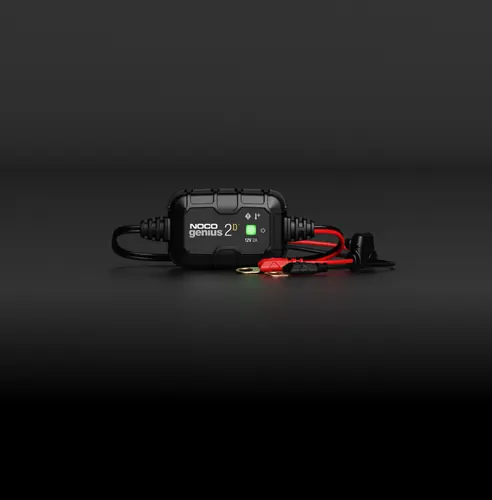
NOCO GENIUS2 6V/12V 2A Smart Battery Charger
Fits: Universal; check NOCO's specifications for voltage, battery type and engine size.
Email a question about this partor write to rrmotorservices@gmail.com
Special order through Energy Products, NOCO's master distributor. We order it from Energy Products when you place your order and email you the ship date and tracking; lithium products ship by ground only. Your card is only charged after the supplier confirms the part. Energy Products does not publish stock levels, so we confirm availability and the ship date before charging your card.
Description
2-Amp Battery Charger
Battery Maintainer + Battery Desulfator
Introducing the all-new GENIUS2, one of our most powerful, highest-performing, energy-efficient, and compact chargers yet. The GENIUS2 is a 6-volt and 12-volt battery charger, battery maintainer, and battery desulfator rated at 2-amps for lead-acid automotive, marine, and deep-cycle batteries, including flooded, gel, AGM, and maintenance-free, plus lithium-ion batteries.
THE ALL NEW GENIUS.
- 30% SMALLER.
- 140% MORE POWER.
Better Performance.
The NOCO GENIUS2 Next To The Previous NOCO G1100.
Multi-Voltage. Multi-Chemistry. Multi-Battery Type.
DO MORE WITH ONE CHARGER.
A multi-functional design that allows you to charge in more ways. Effortlessly charge multiple battery voltages (6-Volt and 12-volt lead-acid and lithium-ion batteries) chemistries (Flooded, gel, maintenance-free and AGM batteries) and types (Starter, deep-cycle, marine, powersport and more).
Powerful, Efficient, and Compact.
THE NEXT GENERATION.
Compact, yet powerful battery charger. A mix of electrical engineering and industrial design pack a powerful battery charger into a tiny footprint. The GENIUS2 uses high-frequency switch-mode technology to efficiently convert A/C power into safe D/C power for battery charging. And its onboard microcomputer precisely controls the charging to minimize power loss to create an incredibly compact form factor.
Improved Start Voltage Sensor. All-New Force Mode.
CHARGE DEAD BATTERIES.
The all-new start-voltage sensor allows the GENIUS to detect and charge dead batteries as low as 1-volt. For extremely dead batteries lower than 1-volt, manually turn on force mode to detect and charge batteries all the way down to zero volts.
Year-Round Charging. Zero Overcharge. Auto Memory.
COMPLETELY AUTOMATIC.
Finally a charger from start to finish that’s completely automatic. No special modes, no technical knowledge required. Genius will safely charge any battery. Detect damaged batteries and intuitively repair them. And actively monitor for long-term battery maintenance and extend battery life. This system allows for continuous operation without user intervention, and zero risk of overcharging your battery.
THERMAL COMPENSATION.
More Precise Charging in Any Climate.
The new integrated thermal sensor automatically monitors and adjusts the charging cycle based on fluctuations of ambient temperature, limiting the chance of under-charging or over-charging, providing a more accurate and fully charged battery. Avoids under-charging in cold weather down to -4 F and avoids over-charging in hot weather up to 104 F.
BRING BATTERIES BACK TO LIFE.
Auto Detection. Auto Repair. Improved Performance.
The GENIUS2 automatically detects sulfation/acid stratification. If any is found, the GENIUS2 will automatically repair and reverse the damage done to the battery, extending the usable life and increasing the performance.
Improved Clamping Range. Improved Clamping Force.
REDESIGNED CLAMPS.
Genius clamps are built with needle-nose profiles for smaller terminal applications and detachable integrated eyelets for permanent mounting the accessory to battery. Designed to fit battery terminals of any shape and size. Engineered for improved clamping range, clamping force, and higher conductivity.
Genius Charging Times.
Approximate charging times at 50% depth of discharge.
Product description from NOCO.
What the package includes
- GENIUS2 Battery Charger w/ Interchangeable Connector
- Clamps w/ Integrated Eyelets (M6)
- Mounting Bracket w/ Strap
- (2) Self-Tapping Screws
- Safety & Warranty Information
Compatible NOCO accessories (sold separately)
From NOCO's compatible-accessories list for this product.
- GC001 X-Connect Micro Battery Clamps w/ M6 Eyelets
- GC002 X-Connect Eyelet Terminal Connector
- GC003 X-Connect 12V Male Plug
- GC004 X-Connect 10' Extension Cable
- GC008 X-Connect XL Eyelet Terminal Connector
- GC009 X-Connect SAE Adapter
- GC014 X-Connect XL Battery Clamps w/ M10 Eyelets
- GC040 Universal EVA Protective Case for Genius
Photos, product description, specifications and how-to instructions from NOCO (no.co). Sold by RR Motor Services LLC through Energy Products, NOCO's master distributor.
How to use
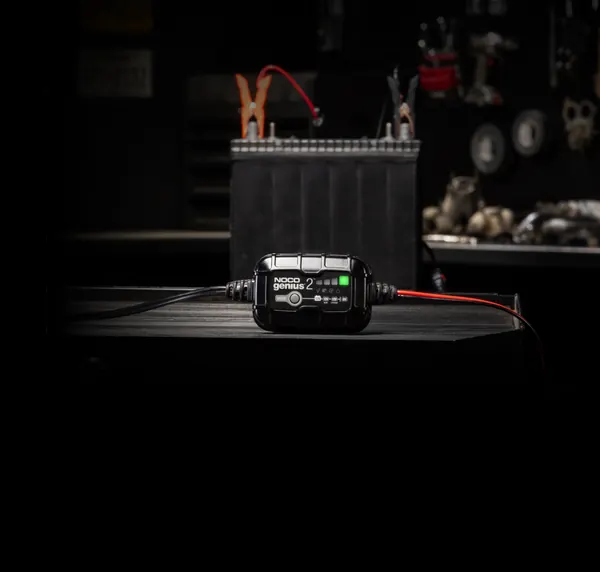
HOW TO USE.
Advanced Diagnostics.
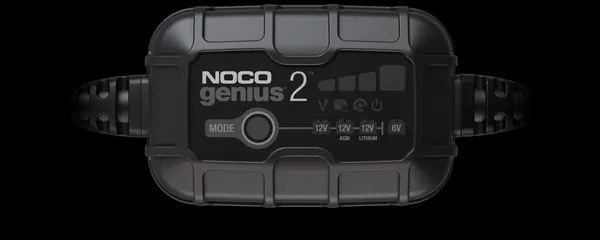

High Voltage
The battery voltage is too high for the selected charge mode. Check the battery and charge mode.

Bad Battery
There is a possible battery short or the battery will not hold a charge. Have the battery checked by a professional.

Reverse Polarity
Charger is connected to the battery in reverse. Reverse the connections.

Standby Mode
The charger is in standby mode or the battery voltage is too low for the charger to detect.

Temperature
All Error LED’s will flash. Internal / external temperature is too high / low. Charger will resume once the temperature is back within operating limits.
Advanced Charging.

12V Mode
Used for 12V wet cell, gel, enhanced flooded, maintenance- free, & calcium batteries.

12V AGM Mode
Used for 12V AGM batteries.

12V Lithium Mode
Used for 12V lithium- ion batteries (including lithium iron phosphate). Only for batteries with Battery Management Systems (BMS).

6V Mode
Used for 6V wet cell, gel, enhanced flooded, maintenance-free, & calcium batteries.
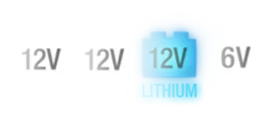
Force Mode
Used to charge batteries below 1V. All charge mode LED’s will flash and the selected mode will illuminate.
Charge Levels.

25% Charged
Pulsing Red 25% - The battery is less than 25% charged.

50% Charged
Pulsing Red 50% - The battery is less than 50% charged.

75% Charged
Pulsing Orange - The battery is less than 75% charged.

100% Charged
Pulsing Green - Bulk Charge complete, optimizing battery for extended life.

Maintenance
Slow Pulsing Green - After the battery is fully charged, the charger will continue to provide ongoing maintenance and optimization until disconnected.
GENIUS
FAQ
Charging
Charge Modes
LEDs
Specifications
Troubleshooting
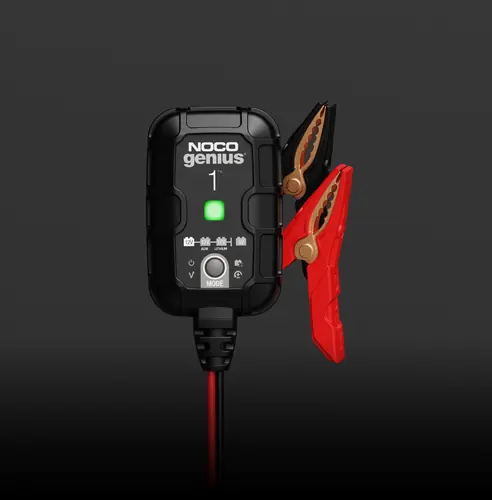
| GENIUS1 | 1 Amp DC |
| GENIUS2 | 2 Amps DC |
| GENIUS5 | 5 Amps DC |
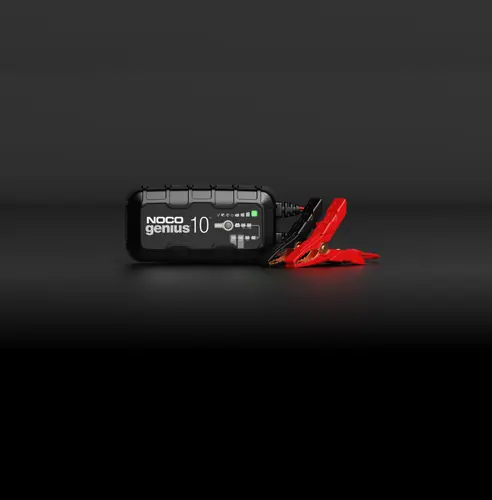
| GENIUS10 | 10 Amps DC |
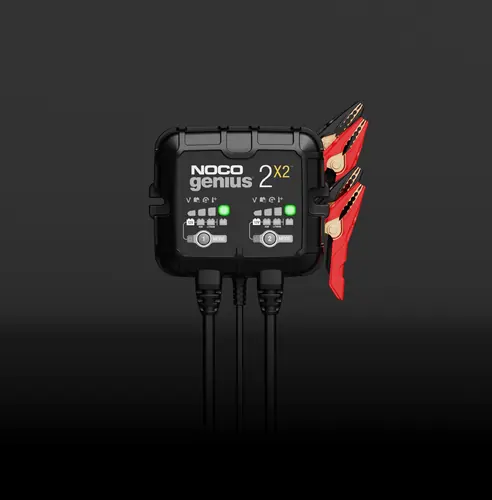
| GENIUS2X2 | 2 Amps DC (2 Banks) |
| GENIUS2X4 | 2 Amps DC (4 Banks) |
| GENIUS2D | 2 Amps DC |
| GENIUS1 | 15 Watts (Max) |
| GENIUS2 | 30 Watts (Max) |
| GENIUS5 | 75 Watts (Max) |
| GENIUS10 | 150 Watts (Max) |
| GENIUS2X2 | 30 Watts (Max) x 2 Banks |
| GENIUS2X4 | 30 Watts (Max) x 4 Banks |
| GENIUS2D | 28 Watts (Max) |
| GENIUS1 | 6V | 12V | Wet, Gel, MF, CA, EFB, AGM, Lithium |
| GENIUS2 | 6V | 12V | Wet, Gel, MF, CA, EFB, AGM, Lithium |
| GENIUS5 | 6V | 12V | Wet, Gel, MF, CA, EFB, AGM, Lithium |
| GENIUS10 | 6V | 12V | Wet, Gel, MF, CA, EFB, AGM, Lithium |
| GENIUS2X2 | 6V | 12V | Wet, Gel, MF, CA, EFB, AGM, Lithium |
| GENIUS2X4 | 6V | 12V | Wet, Gel, MF, CA, EFB, AGM, Lithium |
| GENIUS2D | –– | 12V | Wet, Gel, MF, CA, EFB, AGM |
These are approximate charging times for a battery at 50% depth of discharge.
| GENIUS1 | GENIUS2* | GENIUS5 | GENIUS10 | |
| 20 Amp HourMotorcycle Battery | 15 hours | 7.5 hours | 3 hours | 1.5 hours |
| 40 Amp HourLawn Mower Battery | 30 hours | 15 hours | 6 hours | 3 hours |
| 80 Amp HourFull-Size Car Battery | 60 hours | 30 hours | 12 hours | 6 hours |
| 100 Amp HourTruck Battery | 75 hour | 37.5 hours | 15 hours | 6 hours |
| 120 Amp HourDiesel Truck Battery | 90 hours | 45 hours | 18 hours | 9 hours |
| 230 Amp HourDeep Cycle Battery | –– | 86.3 hours | 34.5 hours | 17.3 hours |
*Charging times for GENIUS2D, GENIUS2X2, and GENIUS2X4 will be similar to GENIUS2.
NOCO Genius is able to detect and charge dead batteries as low as 1-volt. For extremely dead batteries lower than 1-volt, manually turn on Force Mode to detect and charge batteries all the way down to zero volts.
How do I use Force Mode on Genius?
It is not recommended to run a load on the batteries while they are being charged.
Genius can be used to charge Lead-Carbon batteries by using 12V Mode.
Selecting the appropriate charger for your battery will depend on its Amp-Hour (Ah) capacity size. This is usually listed on the battery label at the 20-hour rate, for example: “100 AH @ 20HR”. Check your battery for its rated Amp-hour capacity.
| GENIUS1 | Up to 30 Ah |
| GENIUS2 | Up to 40 Ah |
| GENIUS5 | Up to 120 Ah |
| GENIUS10 | Up to 230 Ah |
| GENIUS2X2 | Up to 40 Ah |
| GENIUS2X4 | Up to 40 Ah |
| GENIUS2D | Up to 40 Ah |
When plugged into AC power NOCO Genius will start out in Standby Mode. Press the Mode Button to switch between modes.
| GENIUS1 | How to Change Modes on GENIUS1 |
| GENIUS2 | How to Change Modes on GENIUS2 |
| GENIUS5 | How to Change Modes on GENIUS5 |
| GENIUS10 | How to Change Modes on GENIUS10 |
| GENIUS2X2 | How to Change Modes on GENIUS2X2 |
| GENIUS2X4 | How to Change Modes on GENIUS2X4 |
| GENIUS2D | –– |
NOCO Genius is able to detect and charge dead batteries as low as 1-volt. For extremely dead batteries lower than 1-volt, manually turn on Force Mode to detect and charge batteries all the way down to zero volts. Follow the links below to learn how to use Force Mode on Genius.
| GENIUS1 | How to use Force Mode |
| GENIUS2 | How to use Force Mode |
| GENIUS5 | How to use Force Mode |
| GENIUS10 | How to use Force Mode |
| GENIUS2X2 | How to use Force Mode |
| GENIUS2X4 | How to use Force Mode |
| GENIUS2D | –– |
Repair Mode is an advanced battery recovery mode found on GENIUS5 and GENIUS10 for repairing and storing, old, idle, damaged, stratified or sulfated batteries. Not all batteries can be recovered. Batteries tend to become damaged if kept at a low charge and/or never given the opportunity to receive a full charge. The most common battery problems are battery sulfation and stratification. Both battery sulfation and stratification will artificially raise the open circuit voltage of the battery, causing the battery to appear fully charged, while providing low capacity. Use 12V Repair in attempt to reverse these problems. For optimal results, take the 12-volt battery through a full charge cycle, bringing the battery to full charge, before using this mode. 12V Repair can take up to four (4) hours to complete the recovery process and will return to Standby when completed.
Using Repair Mode on Genius5
Using Repair Mode on Genius10
CAUTION: USE THIS MODE WITH CARE. THIS MODE IS FOR 12-VOLT LEAD-ACID BATTERIES ONLY. THIS MODE USES A HIGH CHARGING VOLTAGE AND MAY CAUSE SOME WATER LOSS IN WET (FLOODED) CELL BATTERIES. BE ADVISED, SOME BATTERIES AND ELECTRONICS MAY BE SENSITIVE TO HIGH CHARGING VOLTAGES. TO MINIMIZE RISKS TO ELECTRONICS, DISCONNECT THE BATTERY BEFORE USING THIS MODE.
Supply Mode, found on GENIUS10, converts the charger to a constant current, constant voltage DC power supply. It can be used for powering any 12VDC device, like a tire inflator, oil changer and more. As a power supply, it can also be used to retain a vehicle’s on-board computer settings during battery repair or replacement. 13.6V Supply provides 13.6-volts at 10A with overload protection at 12A (Max).
Using Supply Mode on Genius10
CAUTION: USE THIS MODE WITH EXTREME CARE. SUPPLY MODE DISABLES SAFETY FEATURES AND LIVE POWER IS PRESENT AT THE CONNECTORS. DO NOT TOUCH CONNECTIONS TOGETHER. RISK OF SPARKS, FIRE, EXPLOSION, PROPERTY DAMAGE, INJURY, AND DEATH.
It is normal functionality for Genius to go sometimes go straight to Maintenance Mode after normal charging is complete.
View above to learn more about the Charge LEDs on Genius.
When GeniusPRO has a slowly pulsating green LED it means the charger is in Maintenance Mode. After the battery is fully charged, the charger will continue to provide ongoing maintenance and optimization until disconnected.
Click here to learn more about the Charge LEDs on GeniusPRO25.
Click here to learn more about the Charge LEDs on GeniusPRO50.
If the Overvoltage LED is illuminated, this means the battery's voltage is too high for the charge mode that is selected. For example, if you have a 12V battery and have selected a 6V charging mode selected.
If the Overvoltage, Bad Battery, and Standby LEDs are flashing together, either the charger's internal temperature is too hot, or the ambient temperature is too cold for operation. If the charger's internal temperature is too hot, the charger will stop displaying the error and resume function after the charger cools down. If the ambient temperature is too cold, the charger will resume function when the ambient temperature rises.
If a charge LED and Standby mode are flashing this means Genius is in Force Mode. After 5 minutes, the charger will return to the normal charge mode operating and low voltage detection will be reactivated.
When in Force Mode all safety features will be disabled.
How do I use Force Mode on Genius?
| GENIUS1 | 0.77 lbs (0.35 kg) |
| GENIUS2 | 1.10 lbs (0.50 kg) |
| GENIUS5 | 1.50 lbs (0.68 kg) |
| GENIUS10 | 3.33 lbs (1.51 kg) |
| GENIUS2X2 | 1.1 lbs (0.5kg) |
| GENIUS2X4 | 3.9 lbs (1.77kg) |
| GENIUS2D | 0.50 lbs (0.23 kg) |
Genius uses a Mini® Blade fuse which can be purchased at hardware or automotive stores.
| GENIUS1 | 2 AMP MINI ® Blade Fuse |
| GENIUS2 | 4 AMP MINI® Blade Fuse |
| GENIUS5 | 10 AMP MINI® Blade Fuse |
| GENIUS10 | 20 AMP MINI® Blade Fuse |
| GENIUS2X2 | 4 AMP MINI® Blade Fuse |
| GENIUS2X4 | 4 AMP MINI® Blade Fuse |
| GENIUS2D | 4 AMP MINI® Blade Fuse |
The warranty is 3 years from the proof of purchase or manufacture date (based on serial number).
All NOCO Genius Chargers are marked with a unique serial identification number, usually found stamped on the side or edge of the unit. Click the link below to find the serial number location on each model.
Locating the Serial Number on Genius
| GENIUS1 | IP60 |
| GENIUS2 | IP65 |
| GENIUS5 | IP65 |
| GENIUS10 | IP65 |
| GENIUS2X2 | IP60 |
| GENIUS2X4 | IP60 |
| GENIUS2D | IP65 |
| GENIUS1 | User Guide |
| GENIUS2 | User Guide |
| GENIUS5 | User Guide |
| GENIUS10 | User Guide |
| GENIUS2X2 | User Guide |
| GENIUS2X4 | User Guide |
| GENIUS2D | User Guide |
If the Standby LED is illuminated it means that Genius is in Standby Mode and it is not recognizing that it is connected to a battery. This can happen when there is no battery connected to the charger, if the voltage on the battery is lower than the recognition threshold (1V), if the connection to the battery is faulty, or if the inline fuse is faulty or loose in the fuse housing.
How do I use Force Mode on Genius?
Depending on the battery condition and size, Genius can get up to 85°C or 185°F while it is charging the battery. This would be considered normal operating conditions.
If the Bad Battery Error LED is illuminated, this means that the battery is not holding a charge, or there may be a short in the battery. We recommend taking the battery into a local battery shop for a thorough evaluation of its health and status.
GET SUPPORT.
Didn’t find the answers you were looking for, or have other questions regarding your product? Contact NOCO customer support.
How-to instructions and step photos from NOCO.