8 photos from Driven Lighting Group. Select the photo to enlarge it.
XKGlow RGB Controller: XKChrome Dash Mount
Fits: Xk-Chrome-Dm RGB Controller: XKChrome Dash Mount (4-Pin).
Please confirm the fit first: read the Fits line and tick the box. We only order parts that match your vehicle.
Email a question about this partor write to rrmotorservices@gmail.com
Ships from Driven Lighting Group in Atlanta, Georgia. We order it from Driven Lighting Group when you place your order; in-stock parts usually leave DLG's warehouse in 1 to 2 business days. Your card is only charged after the supplier confirms the part. We confirm stock with Driven Lighting Group before charging your card.
Description
Get
Control
Without
Your
Phone: We don't always have our phones with us, but that doesn't limit you being able to use the XKChrome app and components! This waterproof and beefy controller can be surface mounted to your car, truck, ATV, boat, etc. and your phone can be put away for safe storage.
From
XKGlow: Built based on high customer demands, this dash mount controller can be controlled via the dash push buttons or bluetooth XKChrome app control. Under the dash control mode, customer can directly change color, brightness and patterns and the last run color will be auto saved. The controller is fully potted for IP 67 and can endure harsh marine or offroad conditions.
XKChrome
Controllers: Often regarded as one of the best Bluetooth RGB Apps, XKGlow's XKChrome certainly has a wide variety of modes and functions to suite any taste. In addition to being able to dial in almost any color, the app includes the option to match a color based off of your phone's camera, 15 preset themes, a theme builder mode, turn signal override function, speed-related colors, music synchronization, and a sensor wire override. Wild!
Product description from Driven Lighting Group.
What the package includes
- Controller: 1x XKChrome Dash Mount RGB Controller
Product descriptions, specifications, photos and install guides from Driven Lighting Group (DLG B2B). Sold by RR Motor Services LLC, an authorized DLG reseller.
How to use
Driven Lighting Group instructions: Installation guide (PDF)
Driven Lighting Group's instructions (2 pages), shown as published; the original pages with every picture are below.
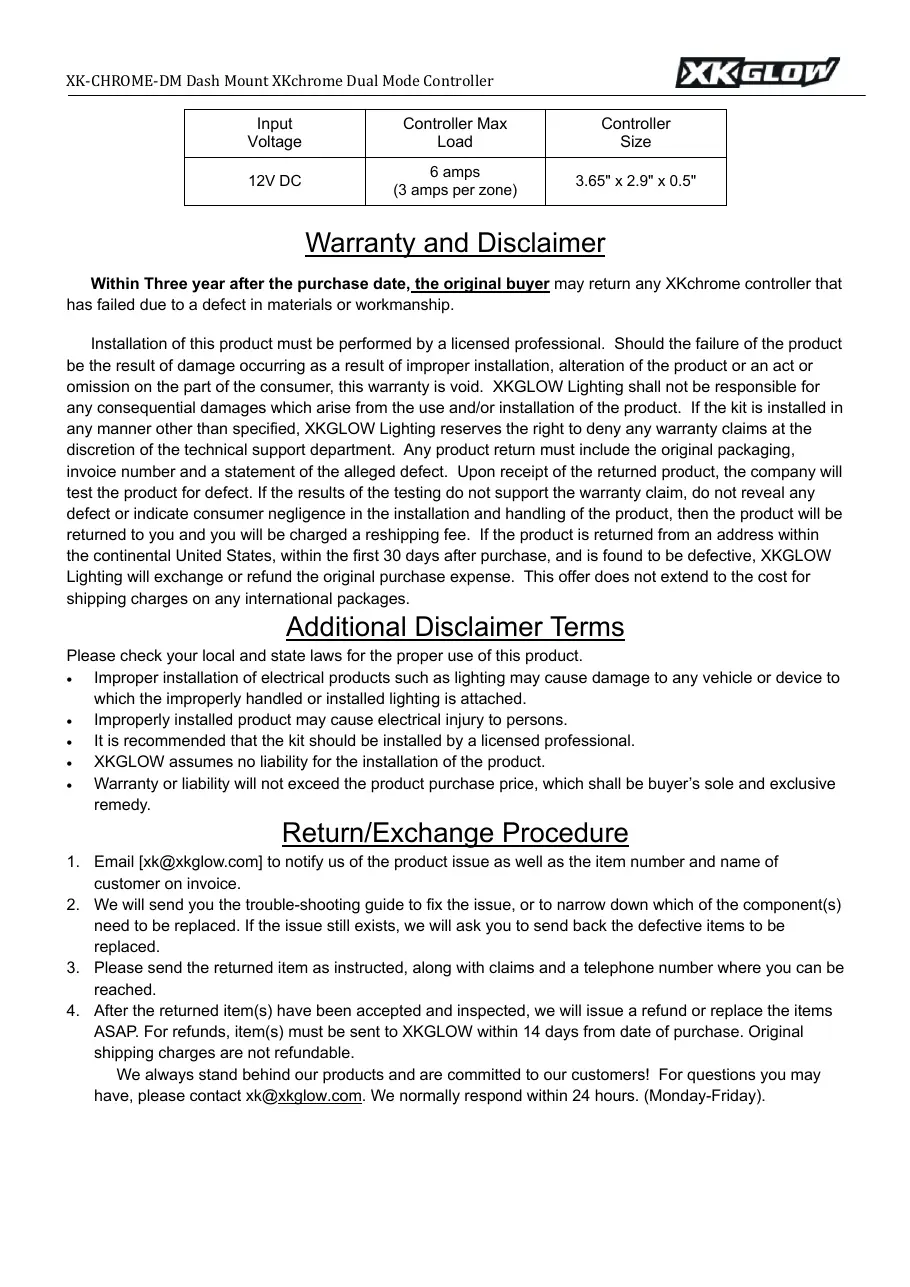
XK-CHROME-DM Dash Mount XKchrome Dual Mode Controller
Input Controller Max Controller Voltage Load Size 6 amps 12V DC 3.65" x 2.9" x 0.5" (3 amps per zone)
Warranty and Disclaimer Within Three year after the purchase date, the original buyer may return any XKchrome controller that has failed due to a defect in materials or workmanship.
Installation of this product must be performed by a licensed professional. Should the failure of the product be the result of damage occurring as a result of improper installation, alteration of the product or an act or omission on the part of the consumer, this warranty is void. XKGLOW Lighting shall not be responsible for any consequential damages which arise from the use and/or installation of the product. If the kit is installed in any manner other than specified, XKGLOW Lighting reserves the right to deny any warranty claims at the discretion of the technical support department. Any product return must include the original packaging, invoice number and a statement of the alleged defect. Upon receipt of the returned product, the company will test the product for defect. If the results of the testing do not support the warranty claim, do not reveal any defect or indicate consumer negligence in the installation and handling of the product, then the product will be returned to you and you will be charged a reshipping fee. If the product is returned from an address within the continental United States, within the first 30 days after purchase, and is found to be defective, XKGLOW Lighting will exchange or refund the original purchase expense. This offer does not extend to the cost for shipping charges on any international packages. Additional Disclaimer Terms Please check your local and state laws for the proper use of this product. • Improper installation of electrical produc
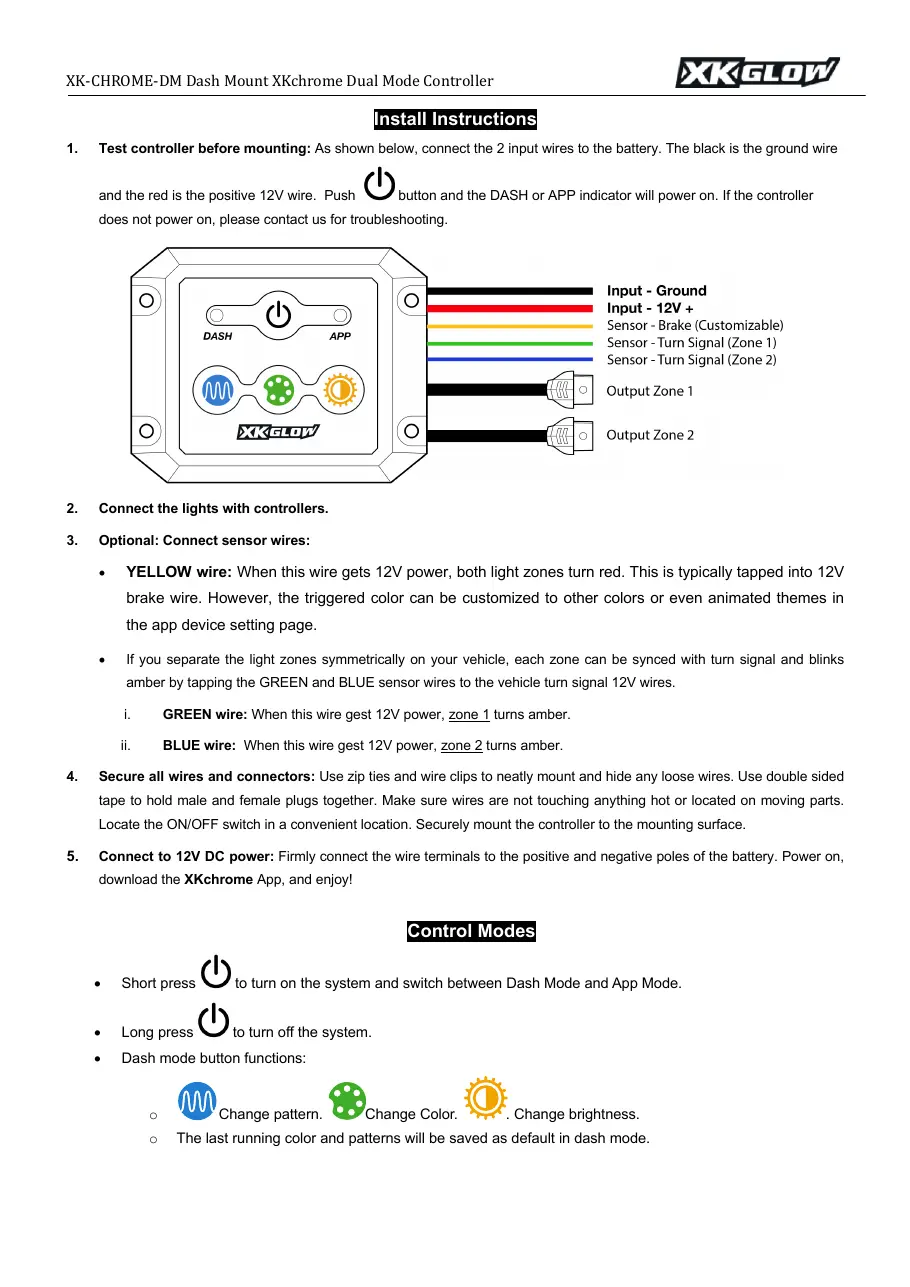
Install Instructions 1. Test controller before mounting: As shown below, connect the 2 input wires to the battery. The black is the ground wire
and the red is the positive 12V wire. Push button and the DASH or APP indicator will power on. If the controller does not power on, please contact us for troubleshooting.
2. Connect the lights with controllers.
3. Optional: Connect sensor wires:
• YELLOW wire: When this wire gets 12V power, both light zones turn red. This is typically tapped into 12V brake wire. However, the triggered color can be customized to other colors or even animated themes in the app device setting page.
• If you separate the light zones symmetrically on your vehicle, each zone can be synced with turn signal and blinks amber by tapping the GREEN and BLUE sensor wires to the vehicle turn signal 12V wires.
i. GREEN wire: When this wire gest 12V power, zone 1 turns amber.
ii. BLUE wire: When this wire gest 12V power, zone 2 turns amber.
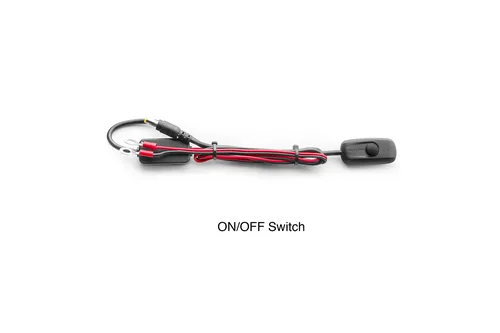
4. Secure all wires and connectors: Use zip ties and wire clips to neatly mount and hide any loose wires. Use double sided tape to hold male and female plugs together. Make sure wires are not touching anything hot or located on moving parts. Locate the ON/OFF switch in a convenient location. Securely mount the controller to the mounting surface.
5. Connect to 12V DC power: Firmly connect the wire terminals to the positive and negative poles of the battery. Power on, download the XKchrome App, and enjoy!
6. Control Modes
• Short press to turn on the system and switch between Dash Mode and App Mode.
• Long press to turn off the system. • Dash mode button functions:
o Change pattern. Change Color. . Change brightness. o The last running color and patterns will be saved as default in dash mode.
How-to instructions and step photos from Driven Lighting Group.