
4 photos from ORACLE Lighting. Select the photo to enlarge it.
ORACLE TRIGGER ONE Bluetooth Solid State Relay
Fits: Universal fitment; check the dimensions and wiring before ordering.
Email for price. ORACLE is running a sale on its own store right now, so we quote this part by email: tell us the part and your ZIP code and we reply with a delivered price before you pay.
No email app? Write to rrmotorservices@gmail.com
Email a question about this partor write to rrmotorservices@gmail.com
Ships from ORACLE Lighting in Metairie, Louisiana. We order it from ORACLE when you place your order; ORACLE states that most items ship within 1-2 business days unless out of stock (pre-assembled lights after ORACLE's 3-5 business day build), and we email you the tracking. Your card is only charged after the supplier confirms the part. Stock shown is ORACLE's (checked November 8, 2026); we confirm it with ORACLE before charging your card.
Notice: Warning: This product contains chemicals known to the State of California to cause cancer or birth defects or other reproductive harm. For more information: www.P65Warnings.ca.gov
Description
✓ Built-In Bluetooth Connectivity ✓ Up to 30A of Current ✓ Compact & Waterproof ✓ Wireless Dimming & Flashing ✓ Standard Relay Socket ✓ iOS & Android Control ✓ Currently Backordered
ORACLE Part #: 4001 | Product Type: Bluetooth Solid-State Relay | Control: TRIGGER ACS PLUS App
Product Overview
The first and only plug-and-play solid-state Bluetooth-enabled relay available, the TRIGGER ONE Bluetooth Solid State Relay works in new or existing installations to add wireless control, dimming, and flashing to the attached accessory.
Control existing vehicle light installations with either an iOS or Android mobile phone. This high-tech feature is a practical way to keep your lights from draining your battery or your radio system ready when you need it.
Turn on a radio system from outside of the vehicle, add the relay to a trailer light circuit to activate an outside light from the grille or campfire, or connect it to your lights. In addition to turning circuits on and off, the app allows activation of a flashing mode or brightness control of connected lighting.
The app settings provide momentary activation through a standard toggle on or off for individual circuits. Edit accessory names, view detailed instructions, set switch functions, and more from the comprehensive settings screen.
Please note before purchase: No returns are accepted for this item if the box has been opened.
Key Features
- Built-in Bluetooth connectivity
- Plugs into a standard relay socket
- Controlled through the free TRIGGER ACS PLUS app
- Wireless dimming and flashing control
- Controls lights, radio systems, and other compatible accessories
- Activates flashing mode or brightness control
- Handles up to 30 amps of current
- Compact and waterproof solid-state construction
- Works in new or existing installations
- Compatible with iOS and Android mobile phones
Performance & Technical Specifications
Part Number: 4001
Product Type: Bluetooth solid-state relay
Current Capacity: Up to 30 amps
Connectivity: Built-in Bluetooth
Control App: Free TRIGGER ACS PLUS
Compatible Platforms: iOS and Android
Installation: Plugs into a standard relay socket
Functions: On/off, dimming, and flashing control
Construction: Compact, waterproof, solid state
App Pairing PIN: 0000
Fitment & Compatible Applications
The TRIGGER ONE is a universal relay replacement for compatible vehicle and accessory installations using a standard relay socket.
- Vehicle lighting installations
- Radio systems
- Trailer light circuits
- Exterior lights for grille, campsite, and campfire use
- Other compatible accessory circuits
The TRIGGER ONE relay does not need to be used with any other TRIGGER accessories. It can be installed in place of a current standard relay and operated using the free TRIGGER PLUS app for iOS or Android mobile phones.
Installation Guide & Resources
To wirelessly connect to your device, the TRIGGER ACS PLUS app will ask you to pair and input a PIN. The PIN to connect is 0000.
The relay can be installed in place of a standard relay. Follow the product documentation for wiring, pairing, switch functions, and accessory setup.
Troubleshooting Guide Installation Quick Start Guide
Installation note: Use the appropriate relay socket and confirm compatibility with the connected accessory circuit before installation.
Product Video
Part Numbers & Options
4001: TRIGGER ONE Bluetooth Solid-State Relay
Complete Your TRIGGER System
Add the TRIGGER ONE to a vehicle equipped with a TRIGGER 4 PLUS or TRIGGER 6 SHOOTER for additional wireless control.
Warranty, Shipping & Returns
Returns notice: No returns are accepted for this item if the box has been opened.
Badges & Install Info
Bluetooth ConnectedUp to 30AWaterproofStandard Relay SocketCurrently Backordered
Product description from ORACLE Lighting.
Photos, product description, specifications, install guides and fitment from ORACLE Lighting (oraclelights.com and ORACLE's dealer product data). Sold by RR Motor Services LLC, an authorized ORACLE Lighting dealer.
How to use
Troubleshooting Guide
ORACLE's installation guide (1 page), shown as printed with its pictures and diagrams.
Troubleshooting Guide: pages with pictures (1)
Text of this guide
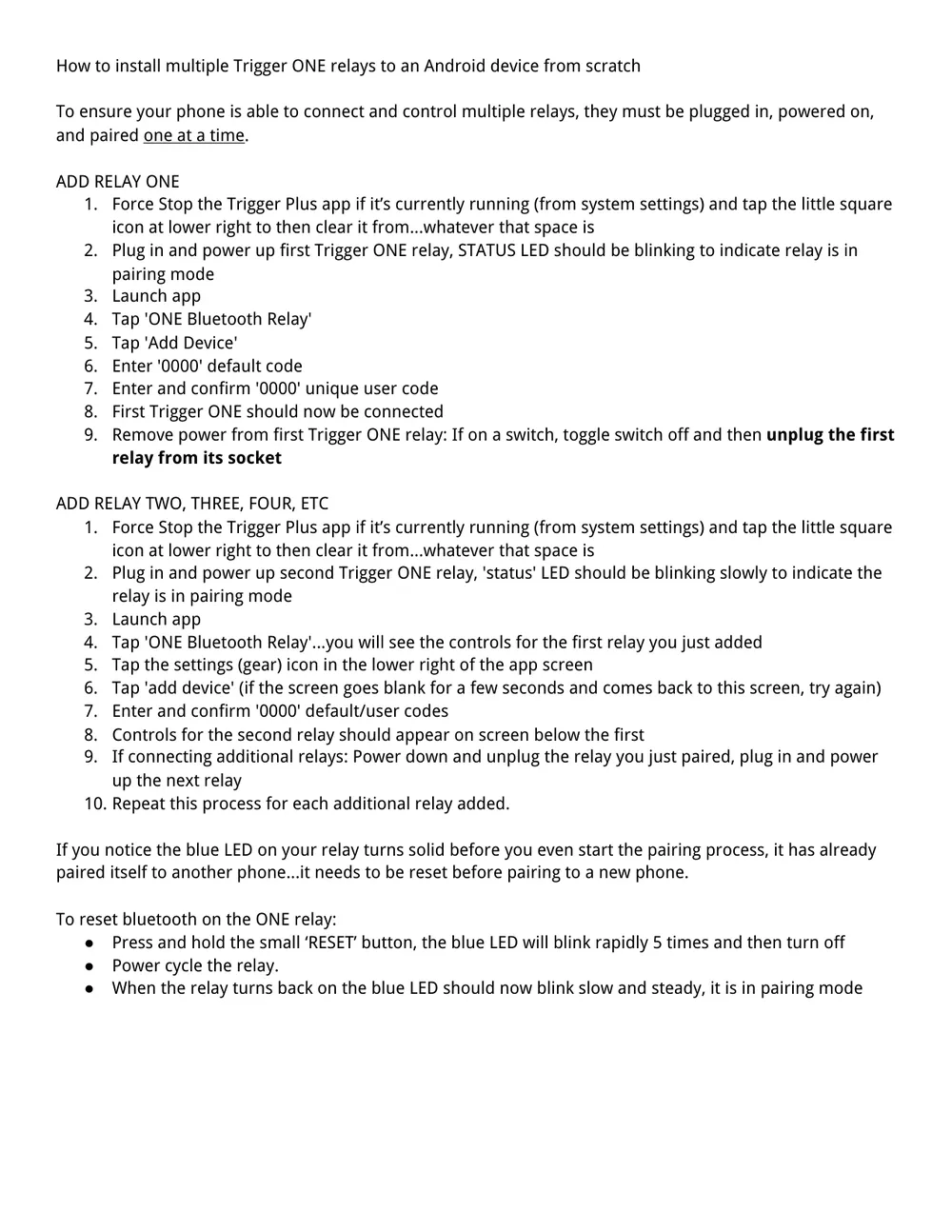
How to install multiple Trigger ONE relays to an Android device from scratch To ensure your phone is able to connect and control multiple relays, they must be plugged in, powered on, and paired one at a time. ADD RELAY ONE 1. Force Stop the Trigger Plus app if it’s currently running (from system settings) and tap the little square icon at lower right to then clear it from...whatever that space is 2. Plug in and power up first Trigger ONE relay, STATUS LED should be blinking to indicate relay is in pairing mode 3. Launch app 4. Tap 'ONE Bluetooth Relay' 5. Tap 'Add Device' 6. Enter '0000' default code 7. Enter and confirm '0000' unique user code 8. First Trigger ONE should now be connected 9. Remove power from first Trigger ONE relay: If on a switch, toggle switch off and then unplug the first relay from its socket ADD RELAY TWO, THREE, FOUR, ETC 1. Force Stop the Trigger Plus app if it’s currently running (from system settings) and tap the little square icon at lower right to then clear it from...whatever that space is 2. Plug in and power up second Trigger ONE relay, 'status' LED should be blinking slowly to indicate the relay is in pairing mode 3. Launch app 4. Tap 'ONE Bluetooth Relay'...you will see the controls for the first relay you just added 5. Tap the settings (gear) icon in the lower right of the app screen 6. Tap 'add device' (if the screen goes blank for a few seconds and comes back to this screen, try again) 7. Enter and confirm '0000' default/user codes 8. Controls for the second relay should appear on screen below the first 9. If connecting additional relays: Power down and unplug the relay you just paired, plug in and power up the next relay 10. Repeat this process for each additional relay added. If you notice the blue LED on your relay turns solid before you even start the pairing process, it has already paired itself to another phone...it needs to be reset before pairing to a new phone. To reset bluetooth on the ONE relay: ● Press and hold the small ‘RESET’ button, the blue LED will blink rapidly 5 times and then turn off ● Power cycle the relay. ● When the relay turns back on the blue LED should now blink slow and steady, it is in pairing mode
Installation Quick Start Guide
ORACLE's installation guide (3 pages), shown as printed with its pictures and diagrams.
Installation Quick Start Guide: pages with pictures (3)
Text of this guide
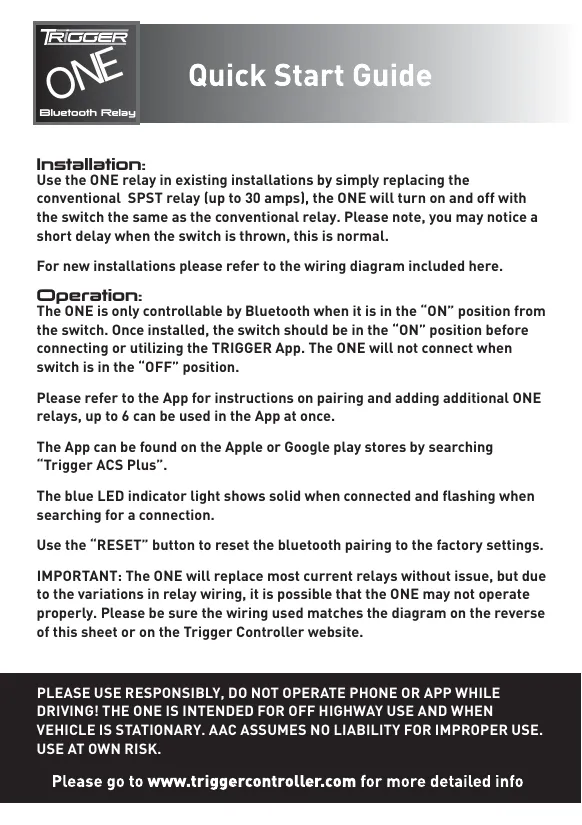
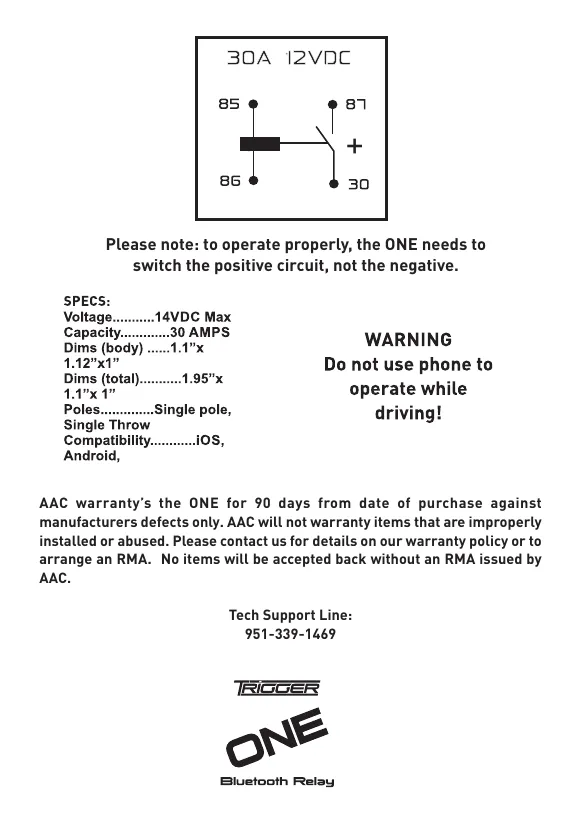
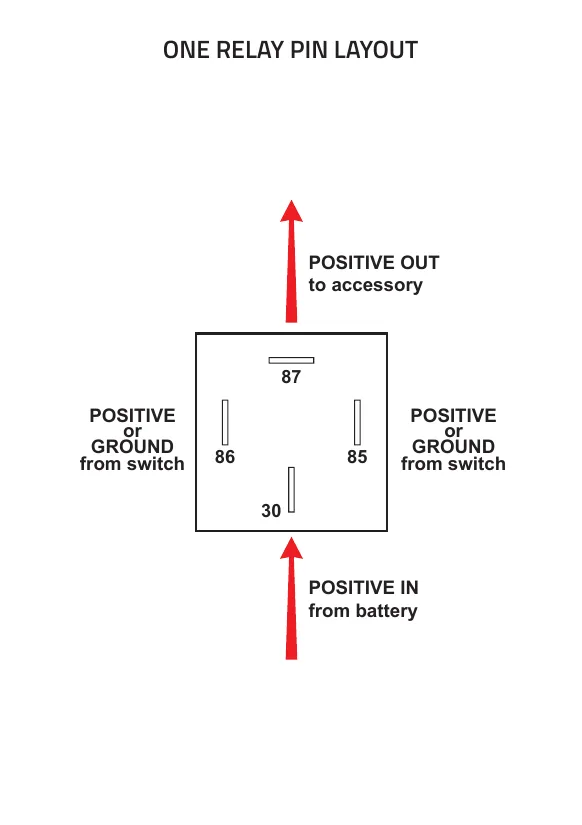
ONE Bluetooth Relay Installation: Use the ONE relay in existing installations by simply replacing the conventional SPST relay (up to 30 amps), the ONE will turn on and off with the switch the same as the conventional relay. Please note, you may notice a short delay when the switch is thrown, this is normal. For new installations please refer to the wiring diagram included here. Operation: The ONE is only controllable by Bluetooth when it is in the “ON” position from the switch. Once installed, the switch should be in the “ON” position before connecting or utilizing the TRIGGER App. The ONE will not connect when switch is in the “OFF” position. Please refer to the App for instructions on pairing and adding additional ONE relays, up to 6 can be used in the App at once. The App can be found on the Apple or Google play stores by searching “Trigger ACS Plus”. The blue LED indicator light shows solid when connected and flashing when searching for a connection. Use the “RESET” button to reset the bluetooth pairing to the factory settings. IMPORTANT: The ONE will replace most current relays without issue, but due to the variations in relay wiring, it is possible that the ONE may not operate properly. Please be sure the wiring used matches the diagram on the reverse of this sheet or on the Trigger Controller website. PLEASE USE RESPONSIBLY, DO NOT OPERATE PHONE OR APP WHILE DRIVING! THE ONE IS INTENDED FOR OFF HIGHWAY USE AND WHEN VEHICLE IS STATIONARY. AAC ASSUMES NO LIABILITY FOR IMPROPER USE. USE AT OWN RISK. + Please note: to operate properly, the ONE needs to switch the positive circuit, not the negative. AAC warranty’s the ONE for 90 days from date of purchase against manufacturers defects only. AAC will not warranty items that are improperly installed or abused. Please contact us for details on our warranty policy or to arrange an RMA. No items will be accepted back without an RMA issued by AAC. Tech Support Line: 951-339-1469 ONE RELAY PIN LAYOUT POSITIVE OUT to accessory 87 POSITIVE POSITIVE or or GROUND GROUND from switch 86 85 from switch 30 POSITIVE IN from battery
How-to instructions and step photos from ORACLE Lighting.


