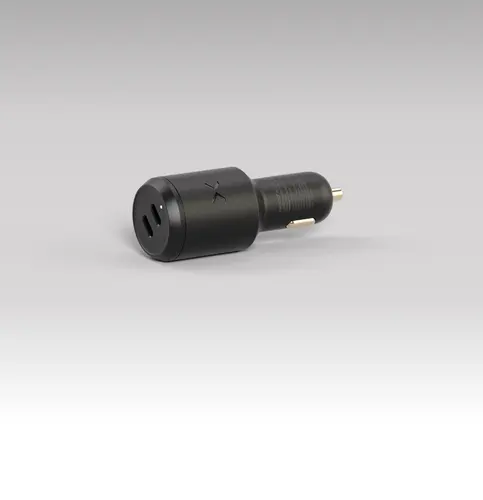
28 photos from NOCO. Select the photo to enlarge it.
NOCO XV65 65W 2-Port USB-C Car Charger
Fits: Universal; check NOCO's specifications for voltage, battery type and engine size.
Bought on its own, this version checks out from 2 units; with other parts in your cart, any quantity.
Email a question about this partor write to rrmotorservices@gmail.com
Special order through Energy Products, NOCO's master distributor. We order it from Energy Products when you place your order and email you the ship date and tracking; lithium products ship by ground only. Your card is only charged after the supplier confirms the part. Energy Products does not publish stock levels, so we confirm availability and the ship date before charging your card.
Description
2-Port
65W USB-C Car Charger
Deliver a powerful charge to multiple devices with this compact, dual USB-C car charger — Engineered with GaN technology for ultra fast, efficient, and safe charging.
Smart Power Sharing.
Dynamically balances power delivery for two devices.
Balanced power.
Up to 65W from a single port. Plug in two devices and power is dynamically balanced - 45W/20W, 30W/30W, or 20W/45W - so each device automatically gets the fastest possible charge.
Built for the drive.
Turns your 12V socket into a high-speed 65W USB-C charging hub that outperforms factory ports. Power through navigation-heavy commutes, long road trips, and in work vehicles - arrive fully charged.
Faster charge times.
Charge time comparison.
Estimated charge time (0% - 100%) for a Macbook Pro 14-inch (M5) compared between XV65 and a typical vehicle USB-C port (30W).
Intelligent safeguards.
Real-time power monitoring protects against voltage spikes, surges, overcharging, and overheating. Stays cool even during extended use, hot weather, and enclosed consoles.
Protect your devices.
Over-charge protection. Over-temperature protection. Surge protection.
Always-ready power.
Draws near-zero power in vehicles that cut the 12V socket when the engine is off, so it stays ready between drives without meaningful battery drain - ready the moment you turn the key.
- 2x USB-C LED Power Indicator
Compact power.
Advanced GaN technology packs 65W of power into a compact design that blends seamlessly into your vehicle's interior. A a precise anti-wobble fit that stays locked in over bumps and rough roads.
65W
Fast Charging
PD 3.0
Technology
Charge everything.
Works with all your USB-C powered devices - phones, tablets, laptops, earbuds, handhelds, and more - one charger covers everything you bring on the road.
Phones Tablets Laptops Cameras Earbuds Handhelds Headphones More
XV65
What's In The Box.
65W USB-C Car Charger, Quick Start Guide, and Safety & Warranty Information.
All NOCO XGrid Car Chargers come with a limited 3 year warranty.
Product description from NOCO.
What the package includes
- 65W USB-C Car Charger
- Quick Start Guide
- Safety & Warranty Information
Compatible NOCO accessories (sold separately)
From NOCO's compatible-accessories list for this product.
- XC1B 240W 3-Foot Ultraflex USB-C Charging Cable
- XC1W 240W 3-Foot Ultraflex USB-C Charging Cable
- XC2B 240W 6.5-Foot Ultraflex USB-C Charging Cable
- XC2W 240W 6.5-Foot Ultraflex USB-C Charging Cable
Photos, product description, specifications and how-to instructions from NOCO (no.co). Sold by RR Motor Services LLC through Energy Products, NOCO's master distributor.
How to use
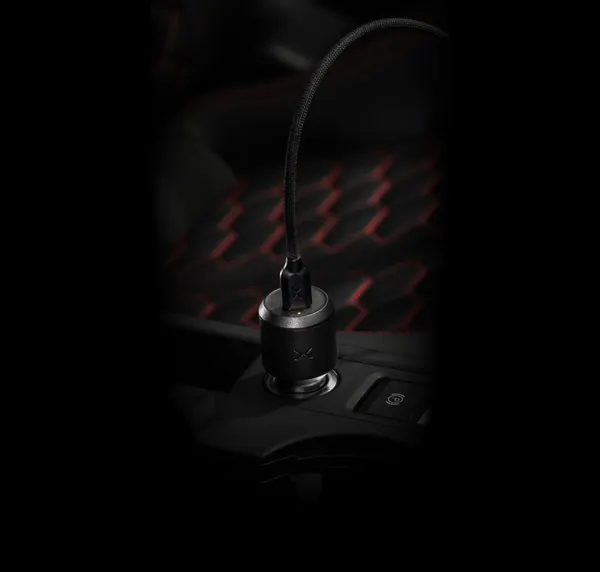
How To Use.
quick start guide.
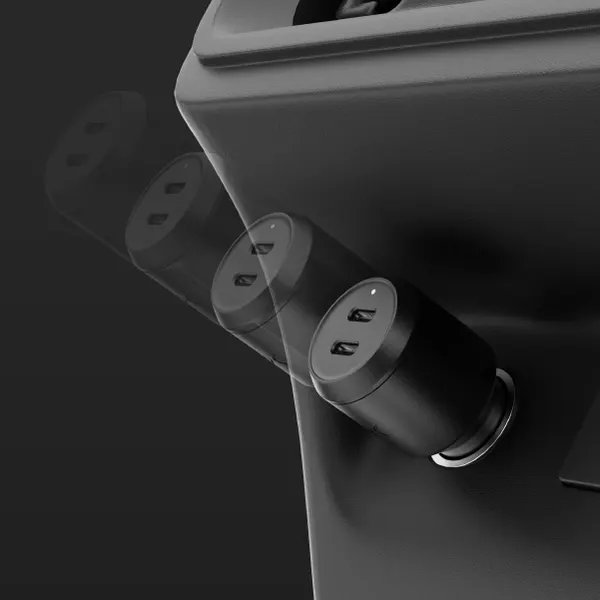
plug car charger into 12V socket.
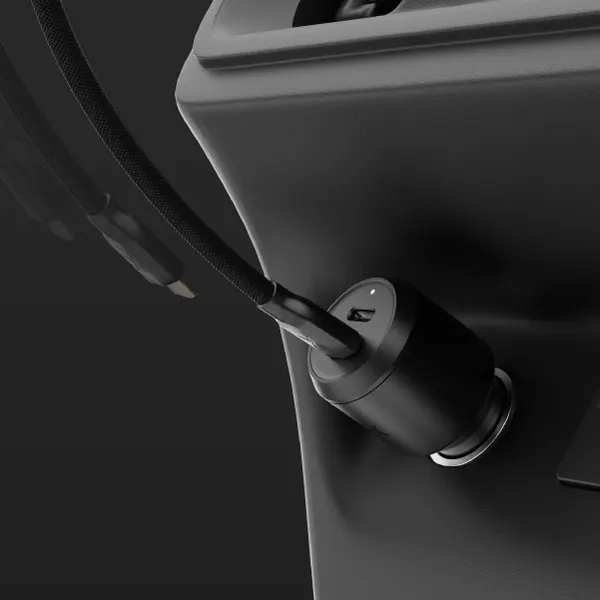
plug usb-c cable into adapter.
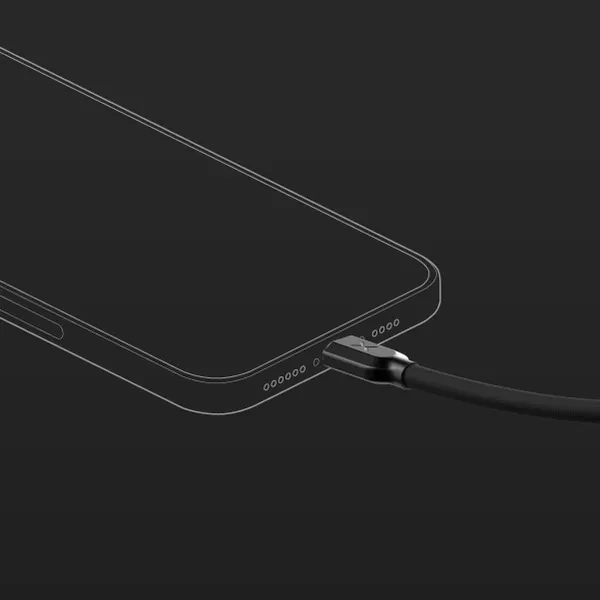
plug into your device to start charging.
leds.


Solid LED
A solid white light indicates the device is successfully connected and the device is charging.

Flashing LED
A flashing light indicates that charging has been paused to protect against over-temperature, over-current, over-voltage, or short-circuit conditions.
XGrid Car Chargers
FAQ
Charging
Troubleshooting
Warranty & Support
Choosing the right charger depends on how many devices you charge and how much power they require. Here's a quick breakdown to help guide your decision:
| Charger Model | Ports | Max Power Output | Best For |
| XV65 | 2 USB-C | 65W (shared) | Phones, wireless earbuds, tablets, MacBook Air, casual dual-device charging |
| XV100 | 2 USB-C | 100W (shared) | Laptops, phones, MacBook Pro 13", multitasking setups |
Common Device Power Needs:
| Device | Typical Max Wattage |
| iPhone / Android phone | 20W–30W |
| iPad / tablets | 30W–45W |
| MacBook Air | 30W–45W |
| MacBook Pro 13" | 60W |
| MacBook Pro 14"/16" | 96W–140W |
| Windows laptops (USB-C) | 45W–100W |
| Nintendo Switch | 18W |
Please check that your cable and devices are fully connected. The LED indicator only turns on when a device is connected and actively charging. If your device is plugged in but not charging, there will be no light.
Not at all. The charger intelligently detects your device's needs and delivers only the power required. So whether you’re charging earbuds or a laptop, your device gets safe, optimized charging every time.
Yes. XGrid supports multiple fast-charging standards like PD (Power Delivery), PPS (Programmable Power Supply), and QC (Quick Charge)—which cover most major devices, including:
- iPhones (fast charging with USB-C to Lightning cable)
- Samsung Galaxy phones (PPS and PD supported)
- Google Pixel, iPads, and more
- If your device uses USB-C or supports PD, you're covered.
Both ports are identical, and each is capable of automatically adjusting power delivery. Depending on what devices are connected, the charger will adjust power output to deliver the most efficient charge.
You can charge any two usb-c devices simultaneously, such as a laptop and a smartphone. The charger adjusts power delivery depending on the devices connected to make sure both get efficient charging.
| XV65 | Quick Start Guide | Safety and Warranty Information |
| XV100 | Quick Start Guide | Safety and Warranty Information |
XGrid chargers can get up to 32°C or 104°F (0°C to 40°C) while charging. This would be considered normal operating conditions.
The warranty is 3 years from the proof of purchase or manufacture date, and is based on your serial number.
XV65 Warranty
XV100 Warranty
All NOCO XGrid 12V Car Chargers are marked with a unique serial identification number, usually found on the side or edge of the unit and on the packaging box. Click the link below to find the serial number location on each model. See Locating the Serial Number on XGrid Chargers.
GET SUPPORT.
Didn’t find the answers you were looking for, or have other questions regarding your product? Contact NOCO customer support.
How-to instructions and step photos from NOCO.