
13 photos from NOCO. Select the photo to enlarge it.
NOCO AL5 5A 17LPM Lithium Air Compressor
Fits: Universal; check NOCO's specifications for voltage, battery type and engine size.
Email a question about this partor write to rrmotorservices@gmail.com
Special order through Energy Products, NOCO's master distributor. We order it from Energy Products when you place your order and email you the ship date and tracking; lithium products ship by ground only. Your card is only charged after the supplier confirms the part. Energy Products does not publish stock levels, so we confirm availability and the ship date before charging your card.
Description
5A Portable Air Compressor
Introducing NOCO AL5 a 12-volt, 5-amp portable air compressor with a 90-watt motor rated at a maximum pressure of 130 PSI. AL5 is the next generation of portable air compressors, utilizing advanced motor and airflow design in an unbelievably compact form with uncompromising performance, it runs longer, fills faster, and is infinitely better.
Our Most Compact Air Inflator Yet.
- 17 LPM Liters Per Min
- 5A Amps
- 130 PSI Max Pressure
- 31-IN Max Tire Size
- 90W Motor Power
EASILY TOP OFF TIRES.
INFLATES IN MINUTES.
Inflates a car tire from flat to 40 PSI in under 7 minutes - and handles quick top-offs in under a minute. One inflator for everything - bikes, sports balls, and inflatables included.
20 minutes
Continuously use for 20 minutes at 50 PSI.
1 minute
Quickly top off (35-40 PSI) low tires in less than 1 minute. *195-70R14 Tire
PRECISION ACCURACY.
SMART PRESSURE.
An integrated sensor measures pressure as you inflate - then stops automatically at your set target. No guesswork. No overinflation. Just precise, effortless control every time.
Auto-Shutoff.
Set pressure, start inflating, auto-shutoff at desired pressure.
UP TO 30W FAST CHARGING.
Charge Devices.
Power everything. With USB-C Power Delivery, you have the power to charge almost everything. Its internal power bank provides 30-watts of power— both in and out— to effortlessly power our favorite USB-C devices, like phones, tablets, laptops, wearables, and more.
FOR APPLICATIONS UP TO 130 PSI.
ULTIMATE VERSATILITY.
Perfect for various applications with tire pressures up to 130 PSI, like cars (30-40 PSI), SUVs (30-45 PSI), motorcycles (24-40 PSI), ATVs (5-15 PSI), UTVs (5-20 PSI), lawnmowers (10-30 PSI), trailers (35-60 PSI), light-duty trucks (30-50 PSI) and more.
DESIGNED TO WORK ANYWHERE.
COMPACT & PORTABLE.
With its rugged portable design, integrated cord management, dedicated slots for accessories, and ultra-compact size, it can easily be stored - and ready to take on whatever you do.
ENGINEERED TO LAST.
UNMATCHED QUALITY.
With its unmatched quality, AL5 has abrasion-resistant hose and anti-vibration rubber base.
Features.
50-LUMEN MULTI-MODE FLASHLIGHT.
ULTRA-BRIGHT.
50-Lumen flashlight provides a tactical-grade experience with long-range, bright illumination, controllable luminosity, and emergency modes.
What's In The Box.
AL5 5-Amp Cordless Air Compressor with 10-Inch Braided Inflation Hose, Multiple Adapters (Presta Valve, Needle, Inflatable Toy, and Quick Connect), and Microfiber Storage Bag. Backed by a 1-Year Warranty and designed in the USA.
Product description from NOCO.
What the package includes
- AL5 Lithium Air Compressor
- Integrated 10in Braided Hose
- 24in USB-C to USB-C Cable
- Presta Valve Adapter
- Needle Adapter
- Inflatable Toy Adapter
- Quick Connect Adapter
- Microfiber Storage Bag
- Safety & Warranty Information
Photos, product description, specifications and how-to instructions from NOCO (no.co). Sold by RR Motor Services LLC through Energy Products, NOCO's master distributor.
How to use
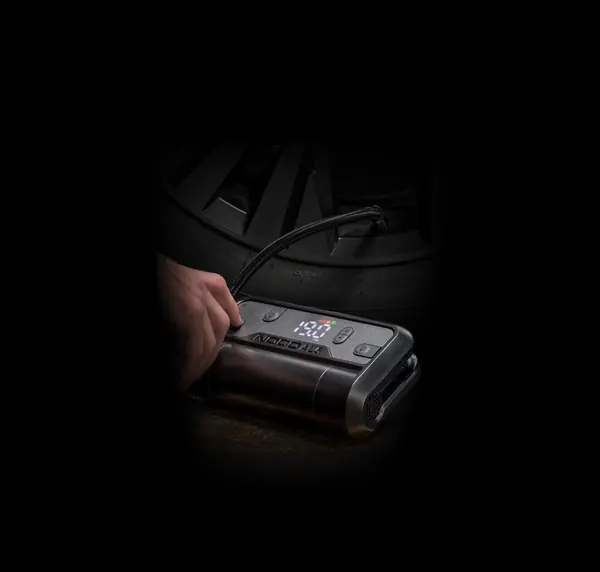
How To Use.
How To Inflate.
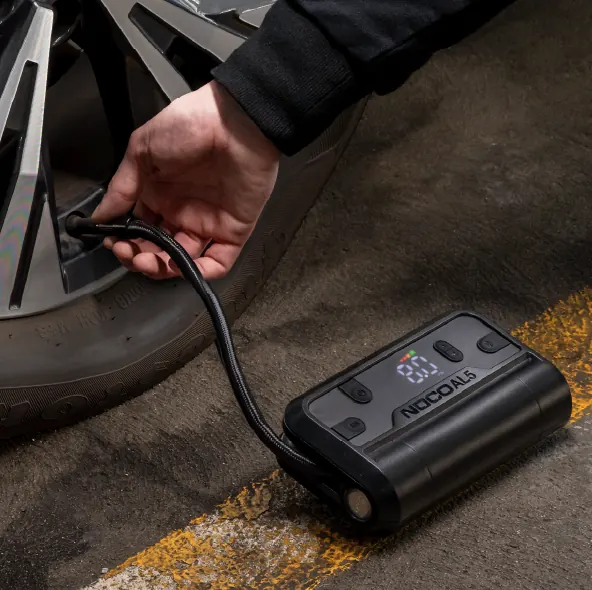
CONNECT THE AIR HOSE.
Connect the air hose on the AL5 to the tire before starting inflation. The air hose will screw onto the tire's air valve. No tools are necessary and should be hand tightened.
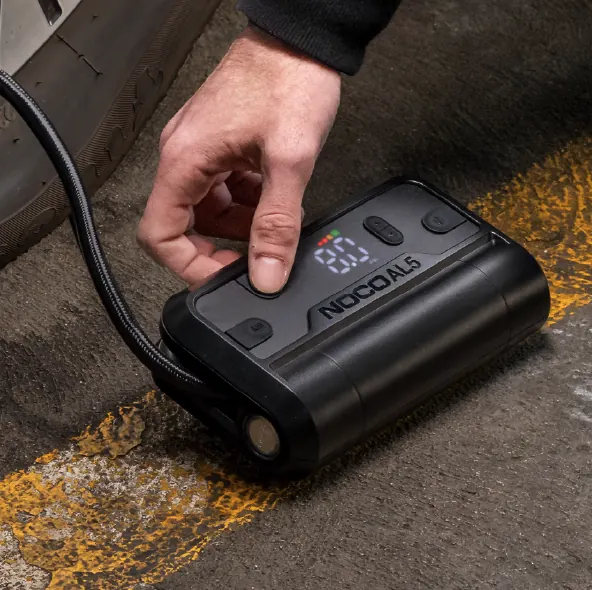
INITIALIZATION.
Turn the Product "ON" by pressing the Power Button. If more than 3 PSI is detected, then the detected pressure will be displayed with the “SET” LED being "OFF".
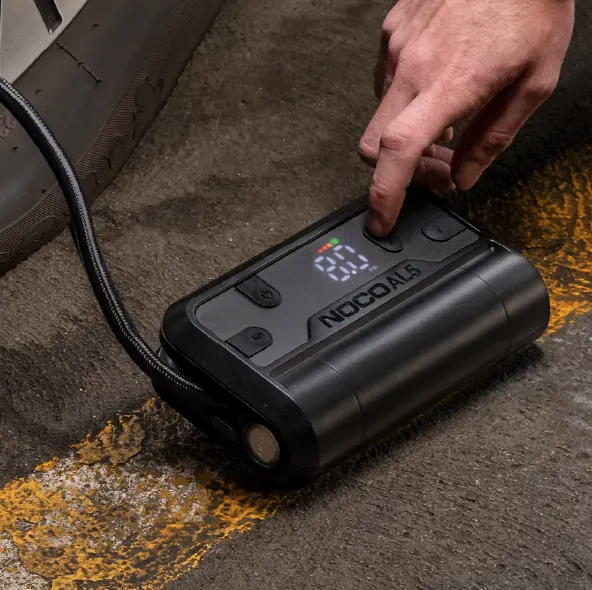
Set Pressure.
Change the Set Pressure to desired tire pressure level by pressing the ▼ or ▲ Buttons. Hold both ▼ and ▲ Buttons together at anytime to change the unit of pressure displayed (BAR, KPA, PSI).
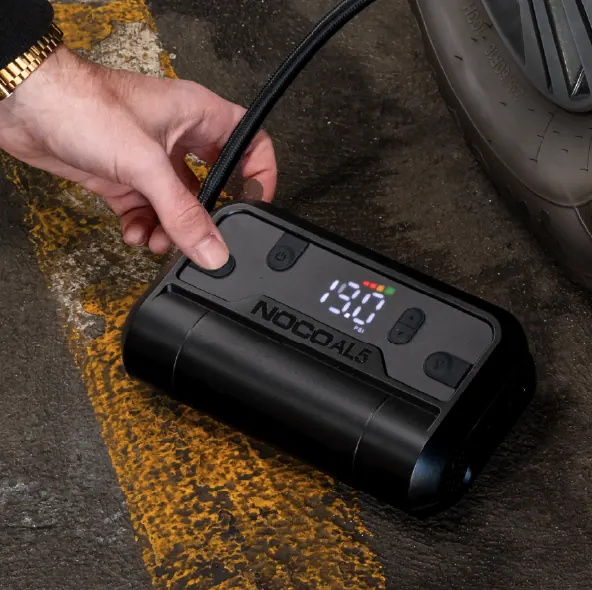
POWER ON.
Press the Air Button to begin tire inflation. Inflation will continue until the Set Pressure has been reached.
Air Lithium
FAQ
Choosing Air Lithium
Warranties & Registrations
Features
Care Tips
| AL5 | 17 SLPM |
| AL5 | USB-C Charging2.5 hours at 10W Fast Charge1.5 hours at 30W |
If Air Lithium will not charge from your laptop, you may need to check your laptop's USB connectivity settings to change what happens when a USB device is plugged into it to allow the AL to recharge from the laptop as opposed to being seen as a source of charge.
AL5 can inflate a 195-70R14 tire from 35-40 PSI in approximately 1 minute.
| AL5 | User Guide |
Air Lithium has a one-year limited warranty. Visit our Support Page to learn more about Warranty or find the User Guide to your specific model.
| AL5 | 50 Lumen LED Flashlight |
The flashlight has 6 light modes: 100%, 50%, 10%, SOS, Blink, "OFF".
| AL5 | USB-C (IN/OUT): 30W |
To change the units for pressure, hold the ▼ and ▲ buttons down simultaneously for 3 seconds. The currently selected pressure unit will flash and the rest of the display will turn "OFF". Press the up or down arrows to change the pressure unit as needed. After waiting for a few seconds, the rest of the display will turn back on and the AL5 will be set to the new pressure unit.
Air Lithium can recharge any device that uses USB-C. This includes all generations of smartphones on the market, as well as HD action cameras, tablets, music players, headphones, earbuds, wireless speakers, and more. This depends on the battery needs of your device, the AL5's battery capacity for recharging USB devices is 4,4mAh.
The USB in/out port is USB-C Power Delivery Dual Role Protocol (DRP), enabling it to power other USB devices. When charging USB devices, it's important to turn "ON" the AL5 before connecting the device to be charged.
If the AL5 is not turned "ON" first, it might draw power from the USB device. To charge the AL5 using a DRP-compatible device (such as a phone, laptop, or power bank), make sure the AL5 is powered "OFF" before connecting the cable between the AL5 and the DRP device.
To enter Manual Air Mode, set the pressure to 0.0. Press the Air Button to turn "ON" the compressor and the compressor will run until the Air Button is pressed again (or the maximum pressure limit of the Product is reached, the AL5's battery is fully depleted, or if the AL5 gets too hot or cold to continue operation). During Manual Air Mode the display will cycle LEDs. When Manual Air Mode is shut "OFF", the display will show the current pressure.
| AL5 | 1.8lb (0.82kg) |
The Air Lithium series is built with an Automatic Shut-off feature. The compressor will turn "OFF" when the desired pressure has been reached, and the Display will remain "ON" after the Automatic Shut-off. The AL5 may also shut off if the battery is fully drained, or if the AL5 gets too hot or cold to continue operation, in which case the Display will shut "OFF".
Automatic Shut-off will only occur in Manual Air Mode if the maximum rated pressure of the Product has been reached, if the battery is fully drained, or if the AL5 gets too hot or cold to continue operation.
If AL's Automatic Shuttoff does not activate as expected, make sure the cable connection is tight and there are no leaks in the system, and refer to the product's User Guide. Contact support if the problem persists.
To account for a small amount of air loss when disconnecting, the device is designed to add a little more air. For example, if the target pressure is set to 36.5 PSI, you may notice the device inflates to 37.0 PSI. This compensates for the expected 0.5 PSI loss when detaching the air hose.
Air Lithium is proudly designed in the USA and manufactured overseas to ensure our customers receive exceptional design and quality at the most affordable price.
The hose is 10 inches (25.4 cm) long and is made of black EDPM with nylon braiding for durability.
Yes, Air Lithium will arrive partially charged, fully charge the unit before first using it to ensure optimal performance. Charge after extended periods of disuse to maintain product health.
Please charge the unit before storing it to elongate its lifetime, always charge after extended periods of disuse to keep ready for use. NOCO Air Lithium should not be stored below 14ºF (-10ºC), and not exceed 113ºF (45ºC) for any reason. Storing outside of these ranges can cause damage to multiple crucial components of the device. Store at 77ºF (25ºC) for optimal longevity. Do not store outdoors. Instead, store in a dry indoor location with at least 0.50 inch (12.7 mm) of space around the product to allow for adequate airflow. Wrap the hose and disconnect cables to protect them during storage.
No, remove Air Lithium from direct sunlight. The ambient temperature in a car can increase to 50°C (122°F) within just 10 minutes.
Air Lithium can operate within the temperature range 14ºF to 113ºF (-10ºC to 45ºC).
Make sure all connections to the Product are secure. Loose connections may cause reduced performance, increasing heat or causing air to leak. After extended use, it's normal for the metal tip of the air hose to feel hot and for the plastic housing of the AL5 to get warm.
The built-in lithium-ion battery is not user-replaceable and is designed to remain sealed within the unit. Do not attempt to replace, modify, or tamper with the battery under any circumstances. Handling a damaged or leaking lithium-ion battery is extremely hazardous and may result in serious injury, fire, or property damage. For disposal or assistance with a faulty unit, contact NOCO or refer to the contact information provided on the back of the unit. Any unauthorized attempts to service, alter, or replace the battery will immediately void the product warranty and release NOCO from any liability for resulting harm, damage, or injury.
We always recommend checking in with your local laws, and regulations for proper disposal of your Lithium battery products, like Air Lithium. If you live in the USA or Canada, you can follow this link to see where to drop off the Lithium product for recycling in your area: https://www.call2recycle.org/locator/
Intuitive Display.
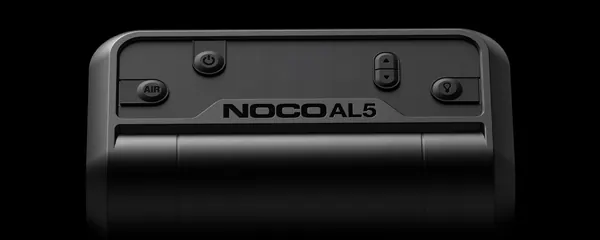

Actual Pressure
When the “AIR” button is pressed, the compressor will begin inflating, the “SET” LED will turn off and the actual pressure will be displayed.

Set Pressure
When the display is in pressure set mode the “SET” LED will illuminate. Use the arrow buttons to set the desired pressure.

Change Units
To change units of pressure, hold both arrow buttons simultaneously for 3 seconds, use either arrow button to cycle through units.

Auto-Shutoff
Auto-shutoff works when pressure is above 3 PSI. Simply set the pressure and start inflating. AL5 will shut off when the desired pressure is reached.

Manual Air Mode
When pressure is below 3 PSI, use manual mode. Set pressure to 0.0 and press the "AIR" button. AL5 will run until the "AIR" button is pressed again.

Charge LEDs
Indicates the charge level of the internal battery.
Buttons
Power Button
Push to turn AL5 “ON” & “OFF”.
Arrow Buttons
Hold both Arrow Buttons to begin changing the pressure units. When LED Display is on, use the Arrow Buttons to change the set pressure.
Air Button
Push to initiate Air Mode to start inflating.
Light Mode Button
Toggles the ultra-bright LED light through 6 light modes: 100% > 50% > 10% > SOS > Blink > Off.
Troubleshooting
ERROR
RECOVERY PROCESS

Product does not turn "ON"
Charge Product.
Over-Temperature
Turn the product "OFF" and place it in a well ventilated area, wait for product to cool before powering "ON" again.
Under-Temperature
Turn the product "OFF" and place it in an area within the recommended operating temperature, wait for product to warm up before powering "ON" again.
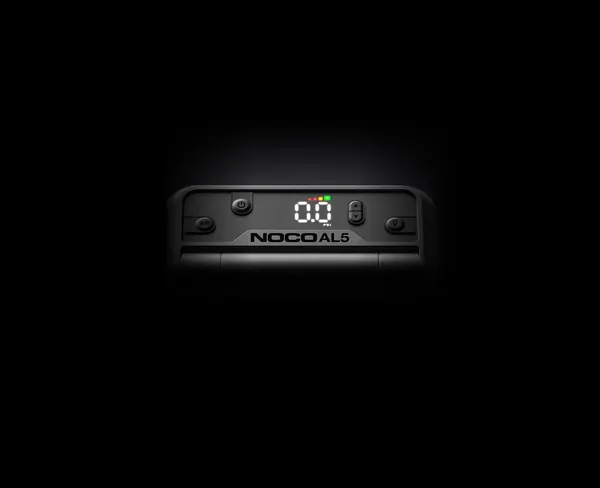
AL5
Manual Air Mode.
Set pressure to 0.0, then press the Air Button
To enter Manual Air Mode, set the pressure to 0.0. Press the Air Button to turn "ON" the compressor and the compressor will run until the Air Button is pressed again. During Manual Air Mode, the display will cycle LEDs. When Manual Air Mode is shut "OFF", the display will show the current pressure.
GET SUPPORT.
Didn’t find the answers you were looking for, or have other questions regarding your product? Contact NOCO customer support.
How-to instructions and step photos from NOCO.